Product tour

See WorksReady working.

These are real screens from the WorksReady demo workspace. Northfield Works, Riverside Plant and Eastgate Depot are sample sites, and every person, asset and job in them is sample data. Select any screen to see it full size.

Assets and locations

Build the register the way your sites are laid out.

Sites, buildings, lines, cells or zones: name your own location types and nest them in any order. Every asset keeps its documents, readings and full work history.
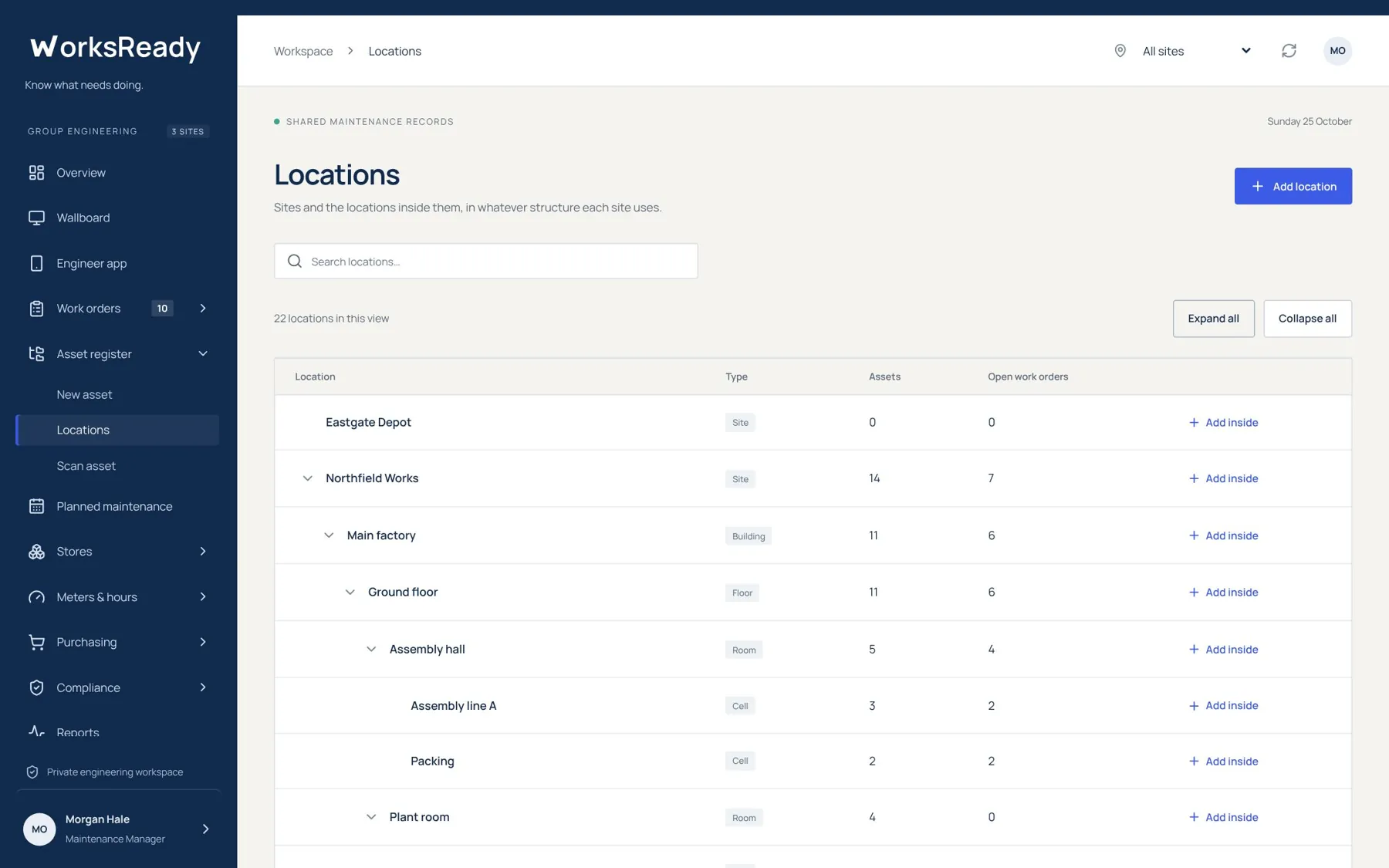
Location tree screen from the WorksReady demo workspace
Location treeExpand a site to see every building, floor, room and cell inside it, with the number of assets and open work orders on each row. Add inside puts a new location exactly where it belongs.
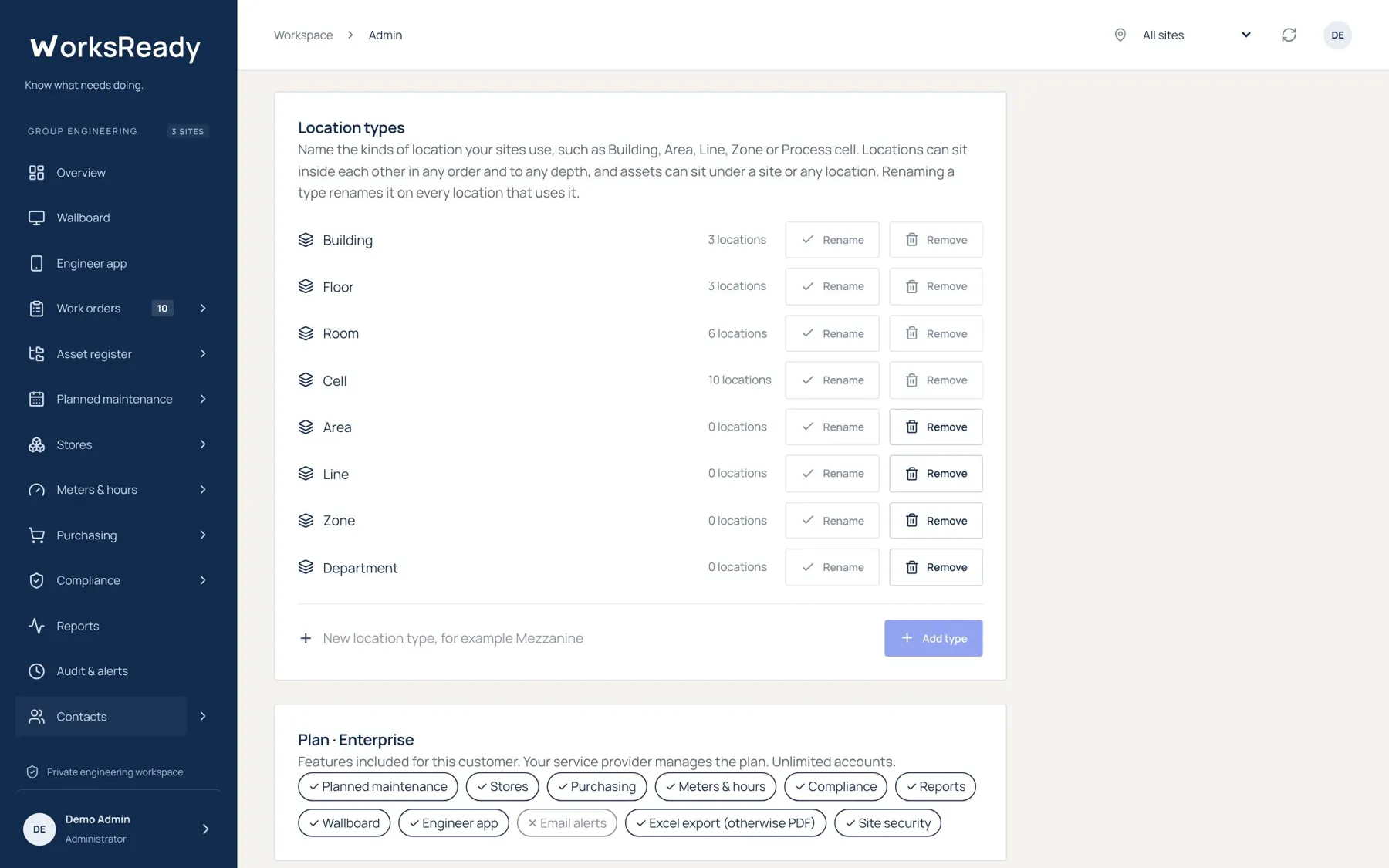
Location types screen from the WorksReady demo workspace
Location typesAdmins choose the kinds of location their sites use. Rename one and every location using it follows. Unused types can be removed.
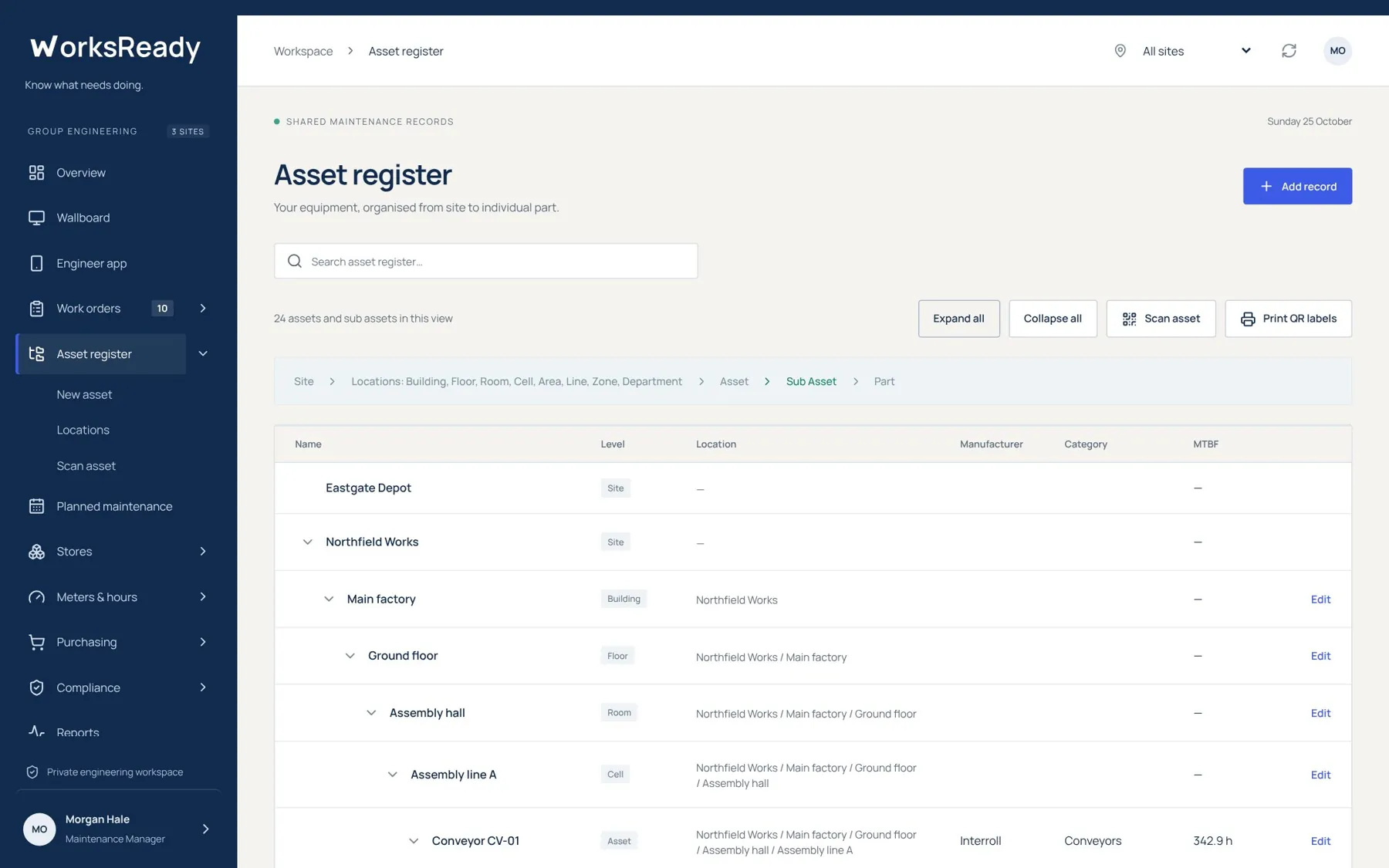
Asset register screen from the WorksReady demo workspace
Asset registerThe full register from site down to sub asset, with level, location path, manufacturer and MTBF on every row.
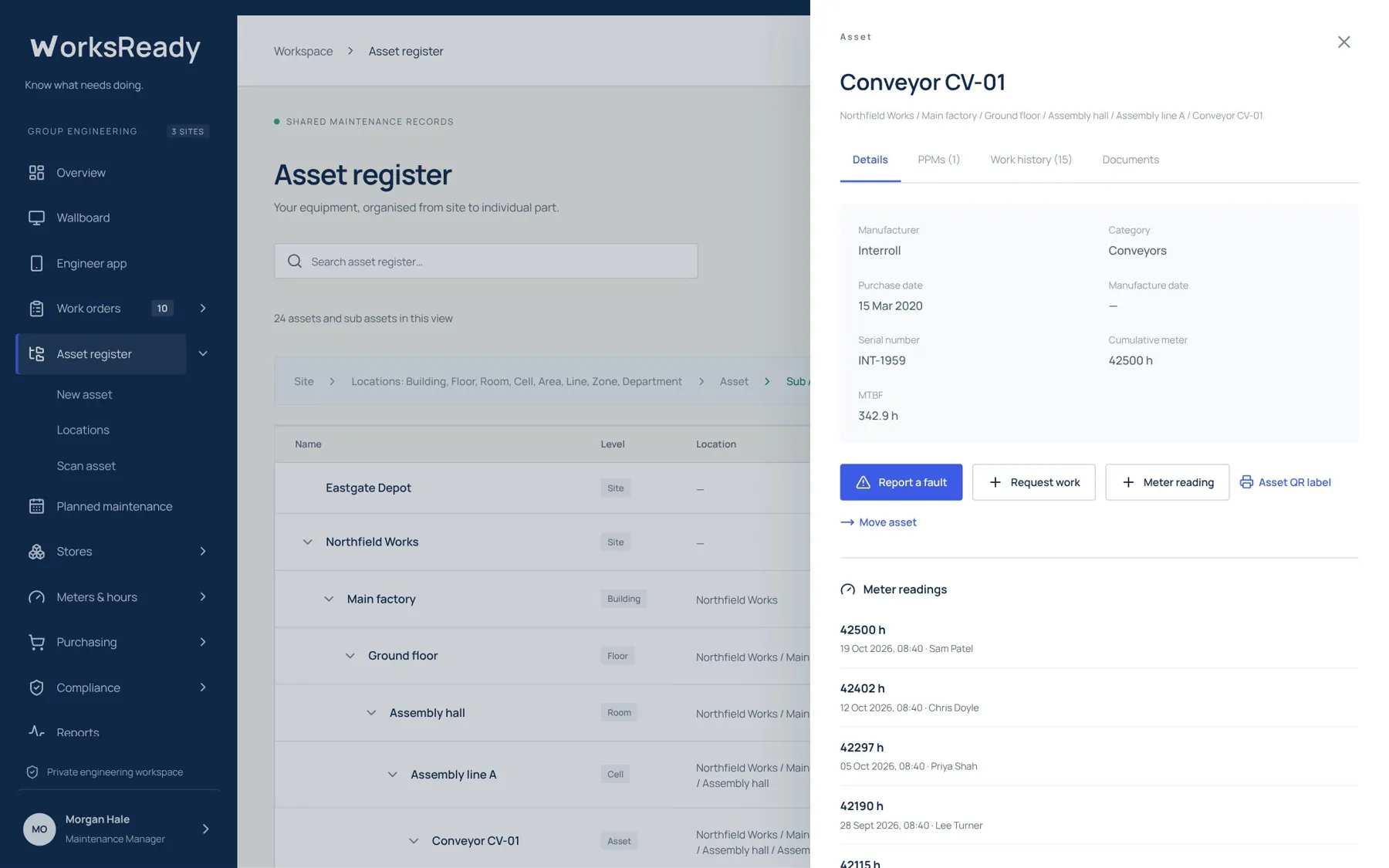
Asset record screen from the WorksReady demo workspace
Asset recordOne asset with its details, PPMs, work history and documents. Report a fault, raise work, record a meter reading or move the asset from here.
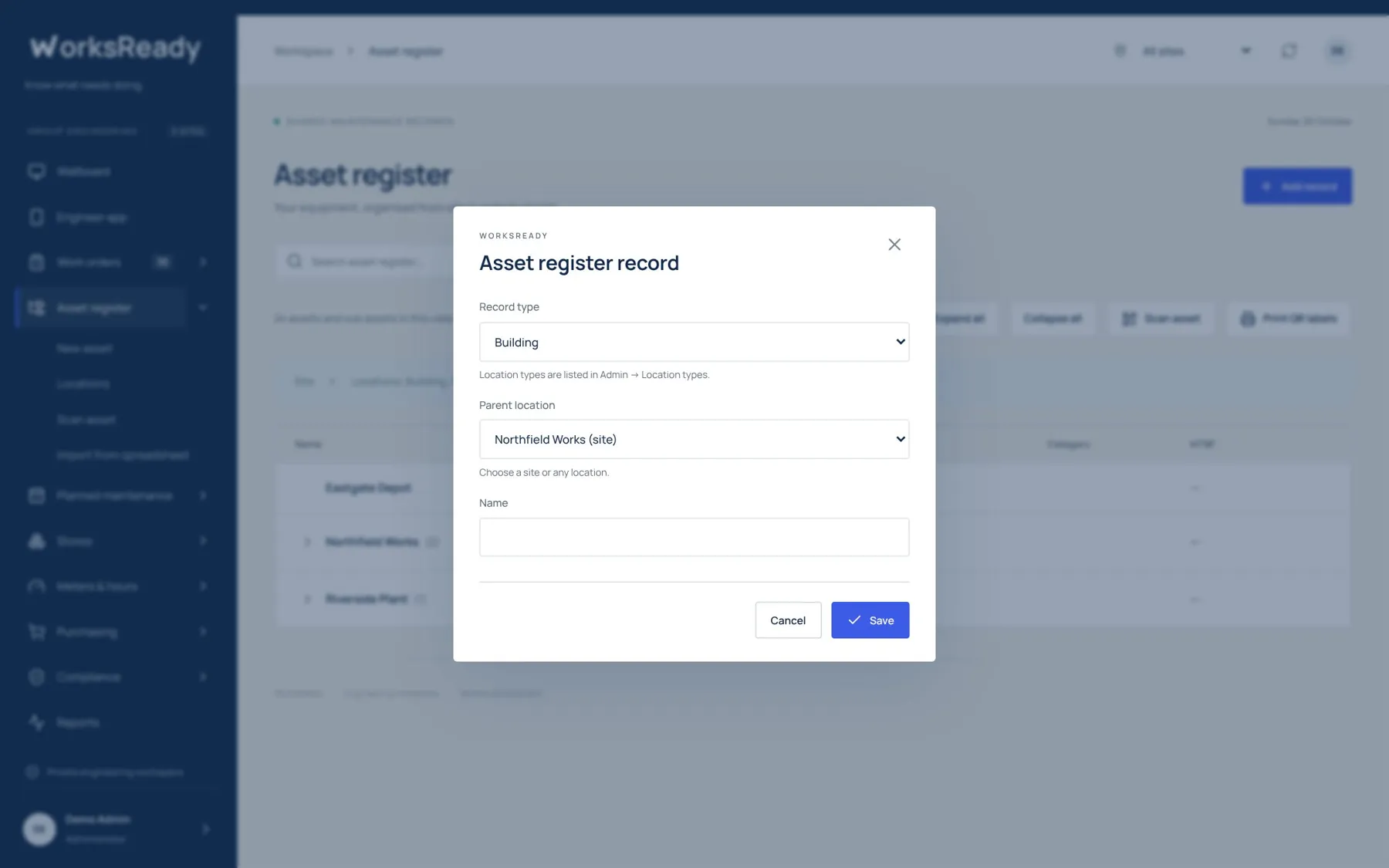
Adding a record screen from the WorksReady demo workspace
Adding a recordPick the record type, then a parent location. Only parents that make sense for that type are offered.
Planned maintenance

See the planned work for the month at a glance.

Date-based and run-hour PPMs on one calendar, with the schedule list behind it. Statutory checks are flagged, and the month exports to Excel.
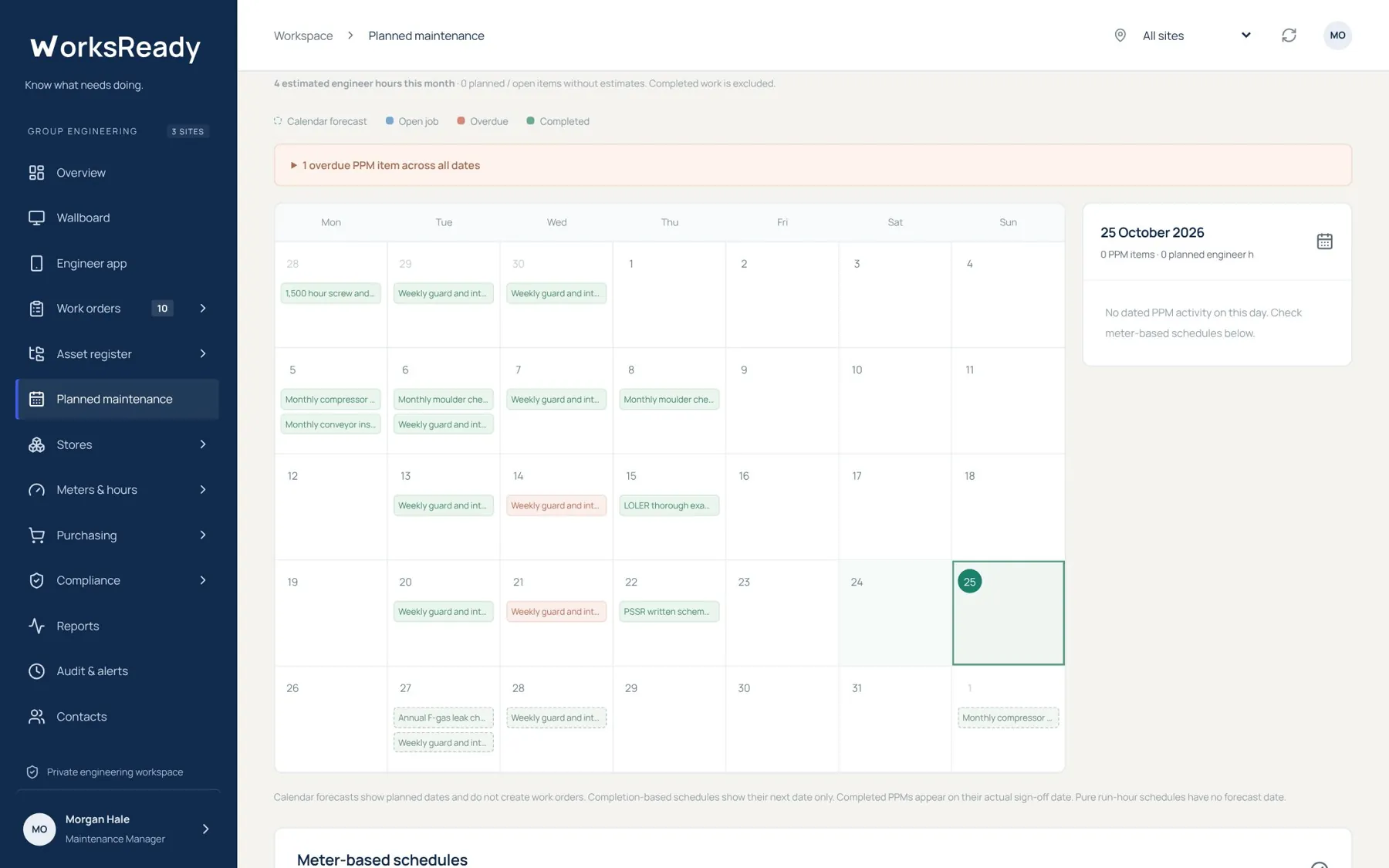
PPM calendar screen from the WorksReady demo workspace
PPM calendarEach day shows the PPMs falling due. Overdue items are called out above the calendar, and the side panel shows the selected day.
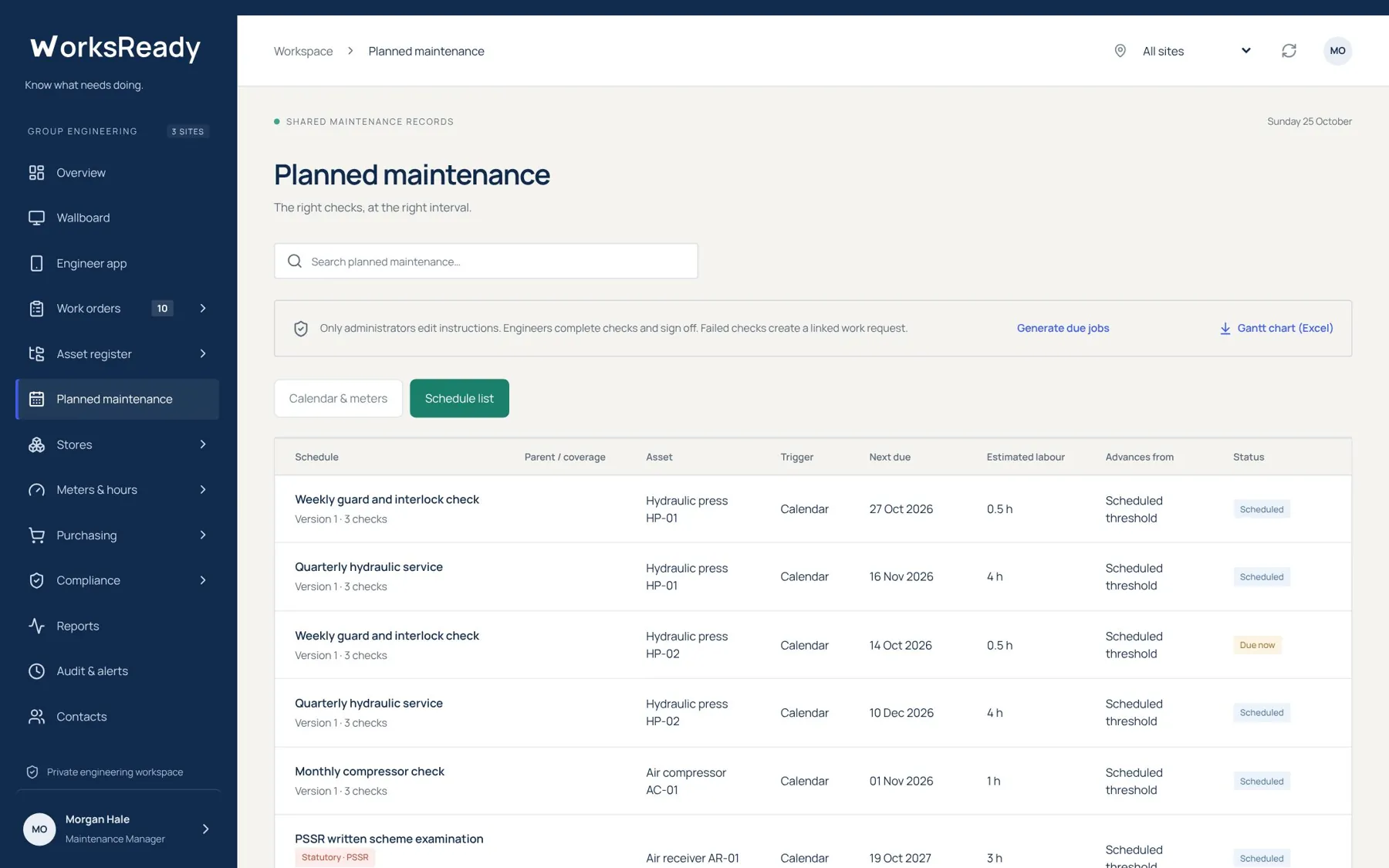
PPM schedule list screen from the WorksReady demo workspace
PPM schedule listEvery schedule with its asset, trigger, next due date, estimated labour and status. Statutory PPMs carry their regulation.
Work orders

From the fault report to the signed-off job.

Requests come in from anyone on site. Engineering approves, assigns, books parts and signs off, and every step is recorded against the asset.
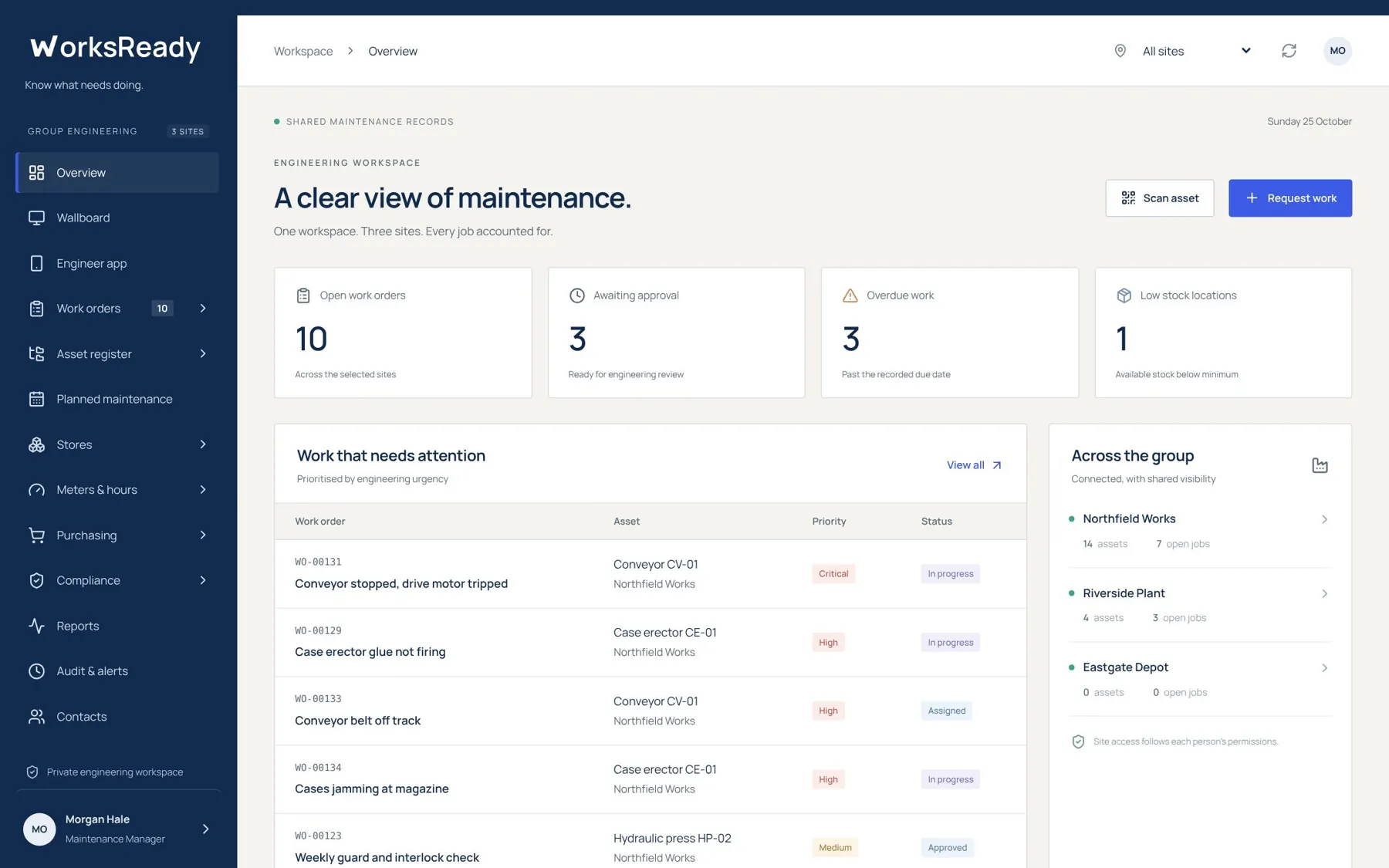
Overview screen from the WorksReady demo workspace
OverviewOpen work, jobs awaiting approval, overdue work and low stock across every site, with the jobs that need attention first.
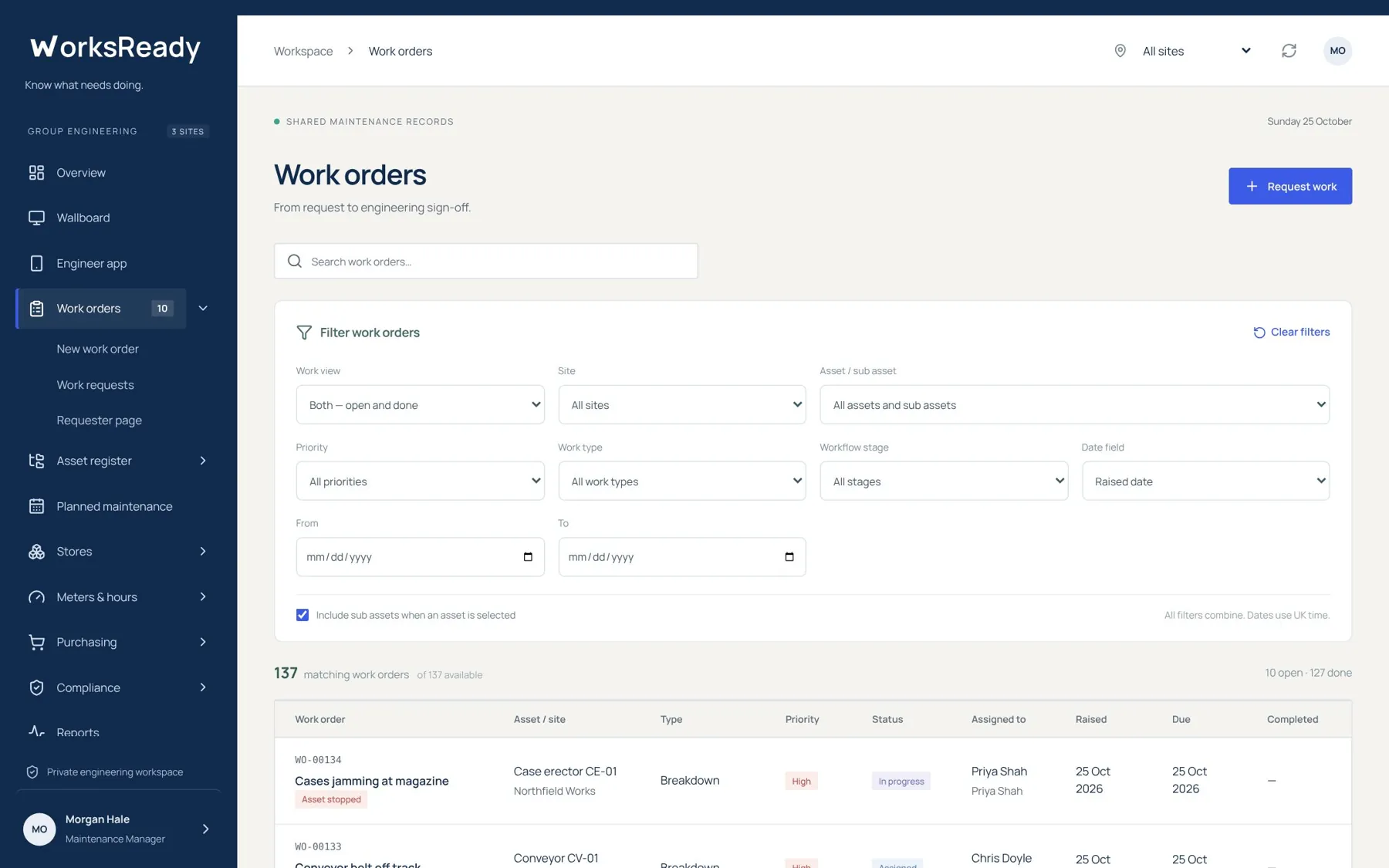
Work order list screen from the WorksReady demo workspace
Work order listFilter by site, asset, priority, type, stage or dates. Every job shows who it is assigned to and when it is due.
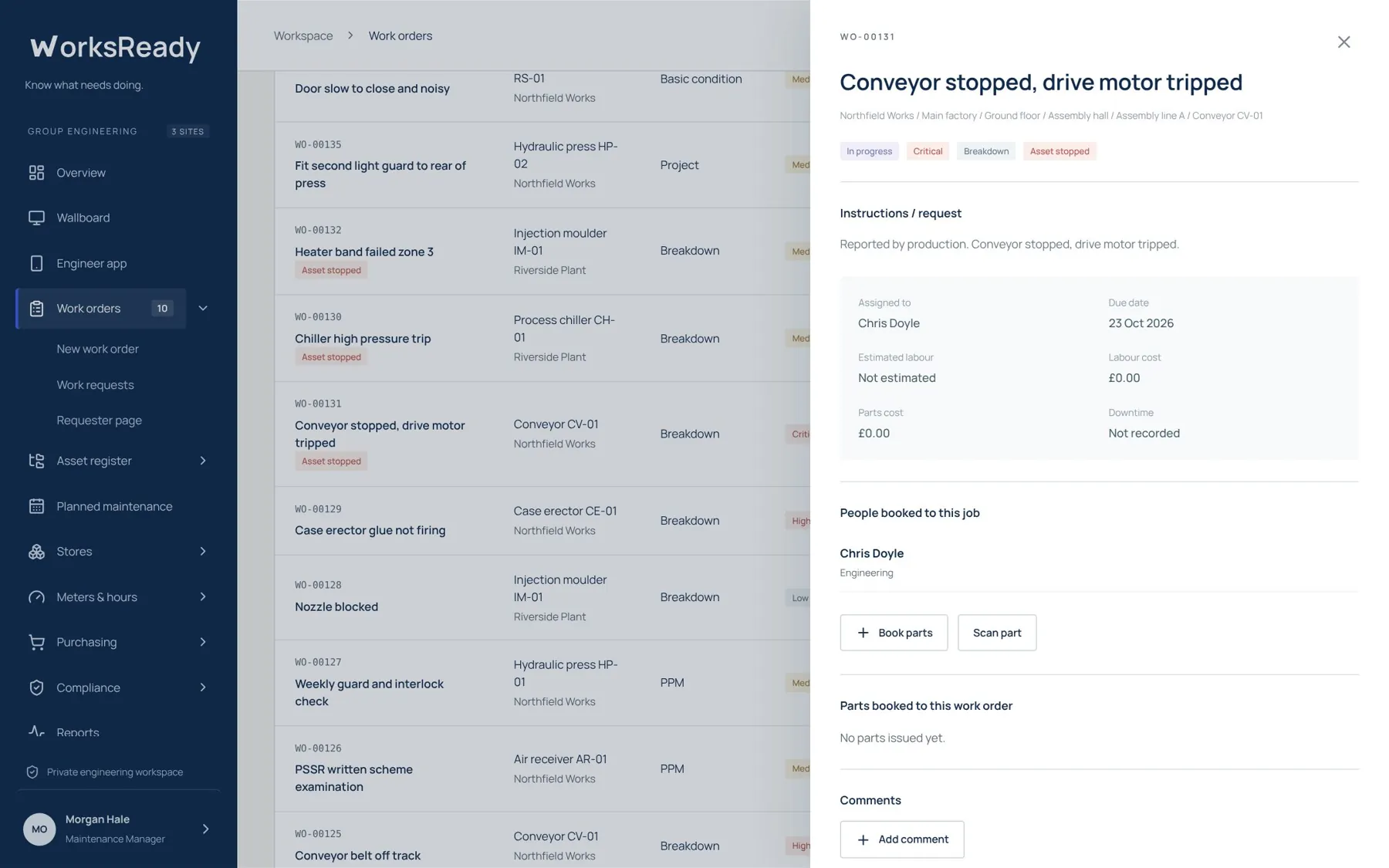
Work order screen from the WorksReady demo workspace
Work orderThe job with its instructions, people, labour, parts, downtime and comments in one panel.
On the engineer's phone

The engineer app, in the phone's browser.

No app store. Engineers see their own work, PPMs and new requests, scan asset labels with the camera and sign jobs off where they are.
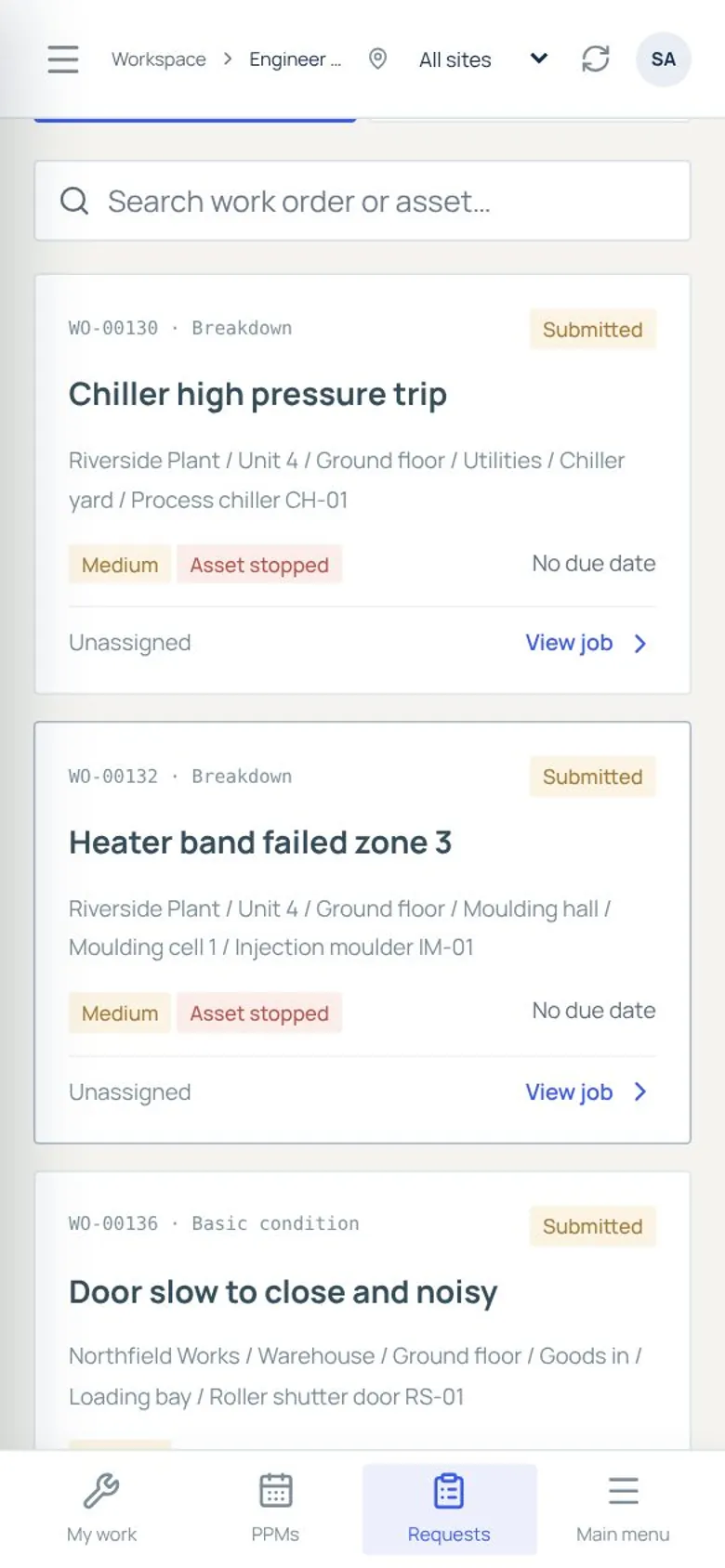
Work requests on a phone screen from the WorksReady demo workspace
Work requests on a phoneNew requests with the full location path, priority and whether the asset is stopped.
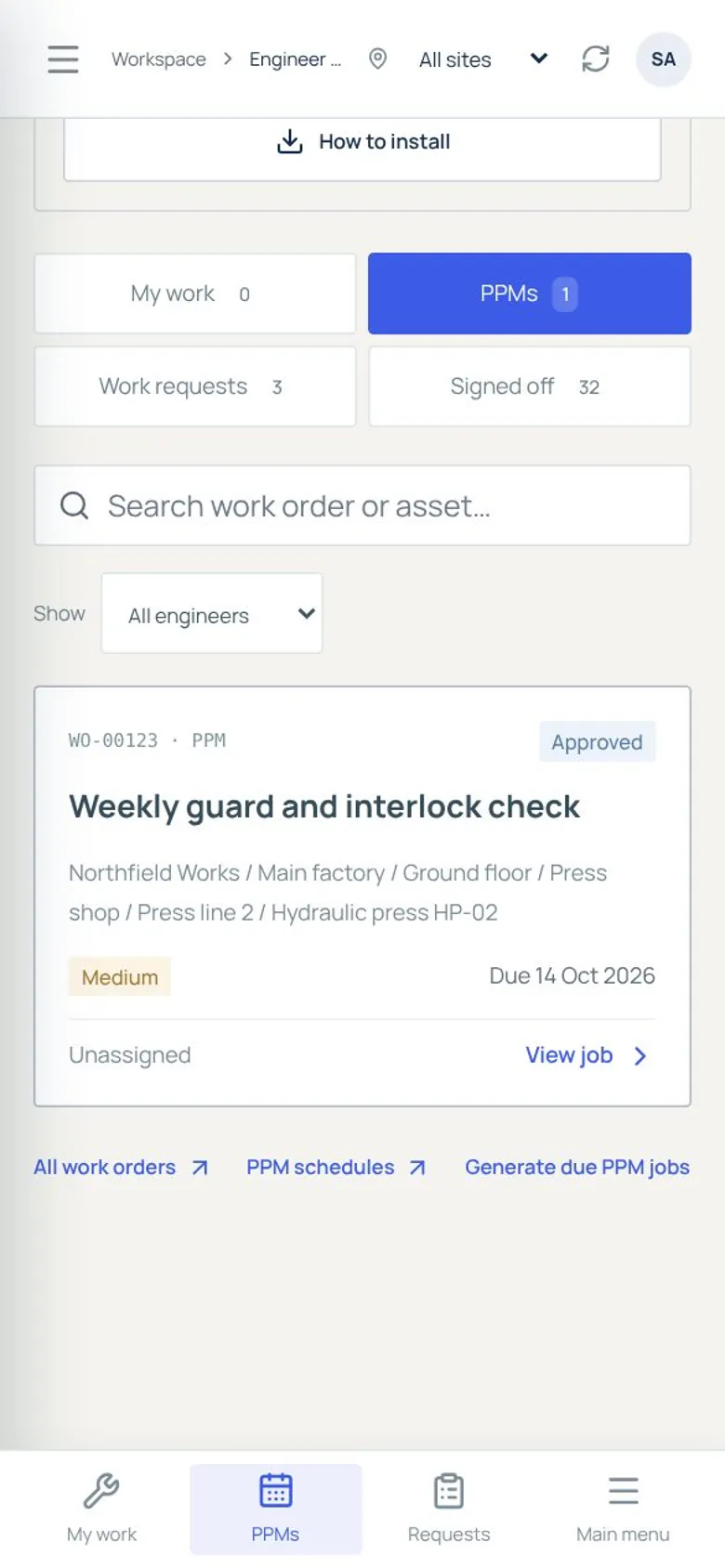
PPMs on a phone screen from the WorksReady demo workspace
PPMs on a phonePPMs due, filtered by engineer, ready to start and complete with their checklist.
Stores, meters and compliance

Parts, readings and statutory checks in the same system.

Stock by store and bin, meter and production-hour readings that drive usage-based PPMs, and a compliance register with evidence of every check.
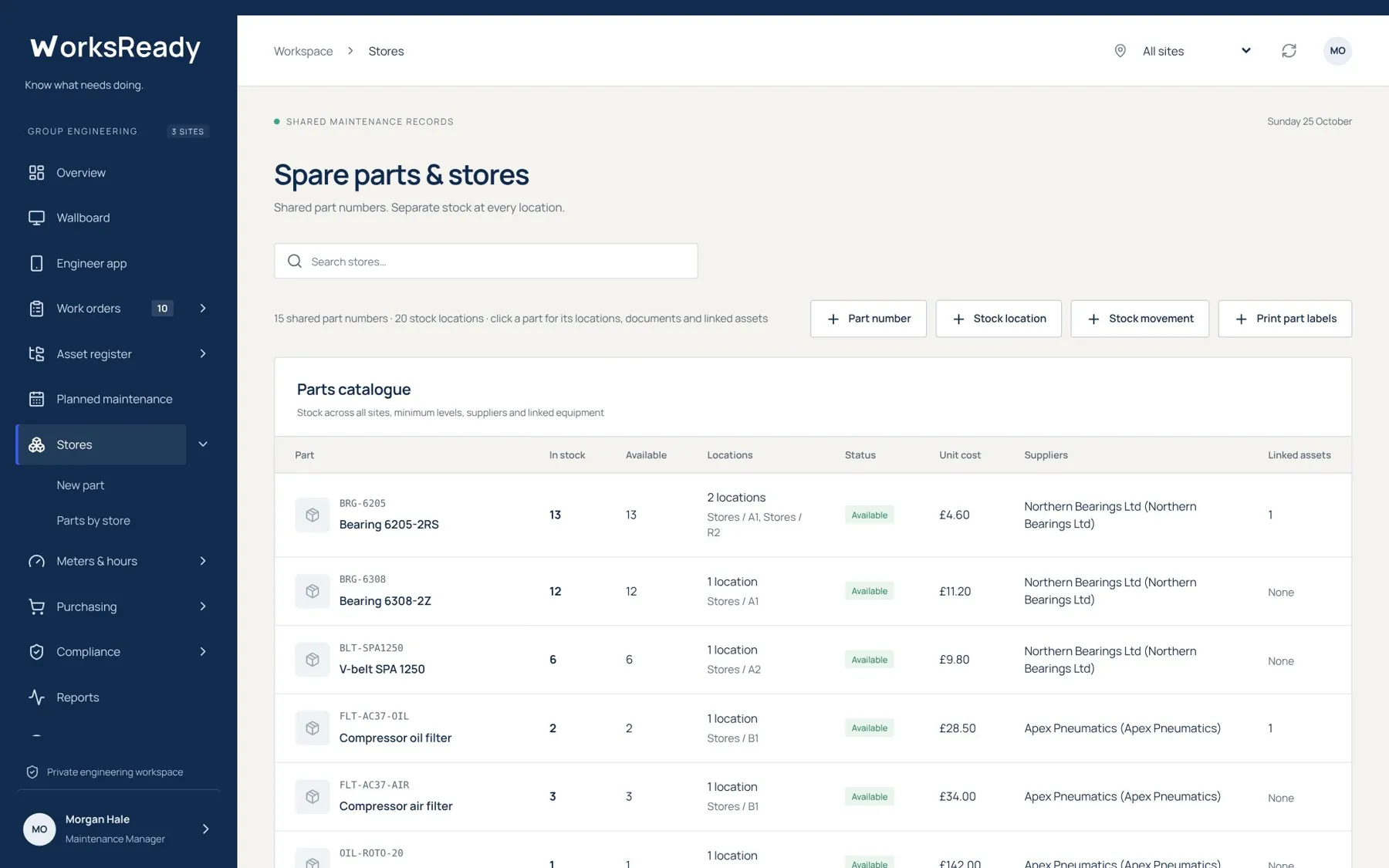
Spare parts and stores screen from the WorksReady demo workspace
Spare parts and storesStock levels, locations, status, unit cost and suppliers for every part, with the assets each part fits.
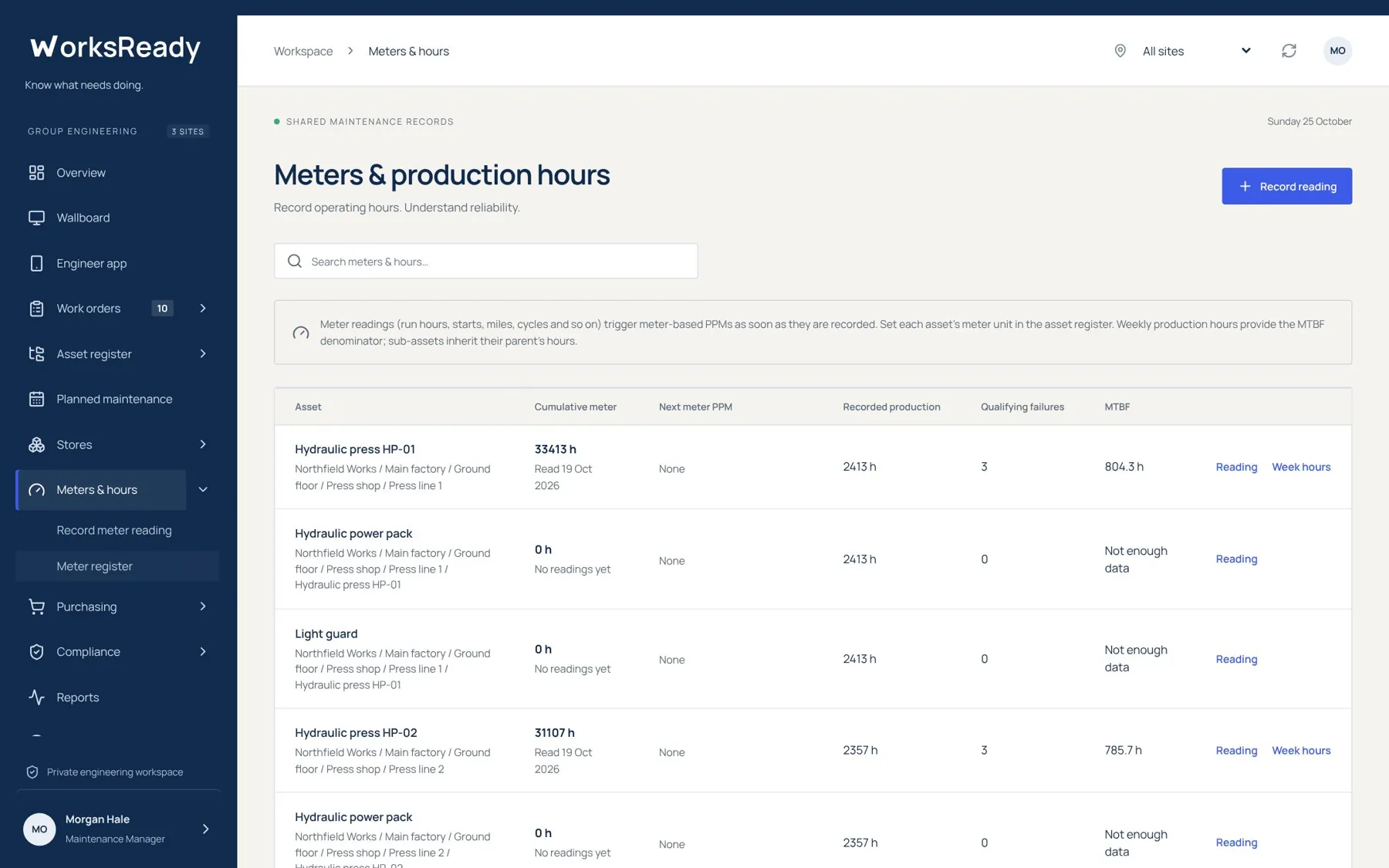
Meters and production hours screen from the WorksReady demo workspace
Meters and production hoursCumulative readings, the next meter-based PPM and MTBF for each asset.
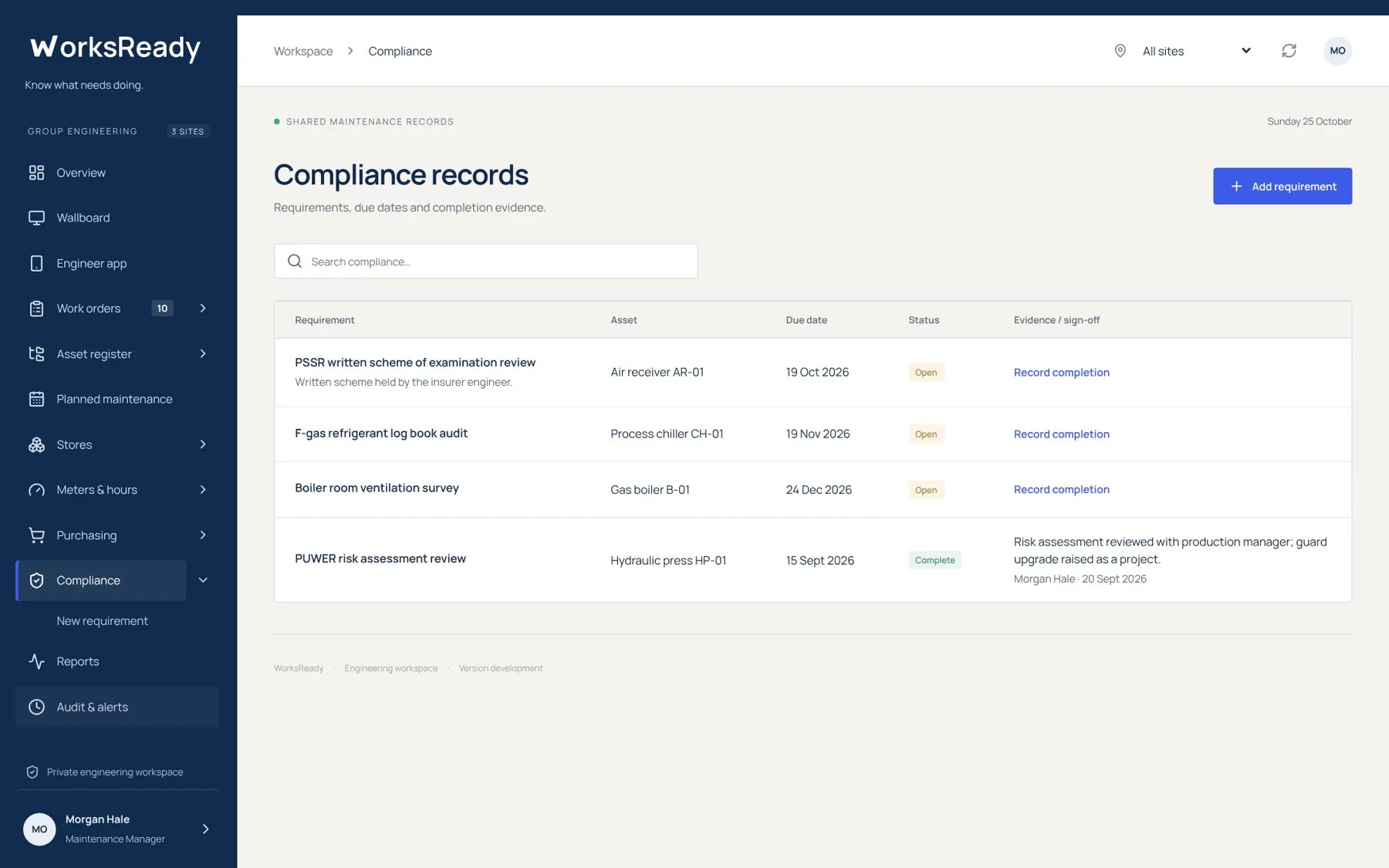
Compliance records screen from the WorksReady demo workspace
Compliance recordsRequirements with their asset, due date, status and sign-off evidence.
Reports and wallboard

Use the work you have recorded.

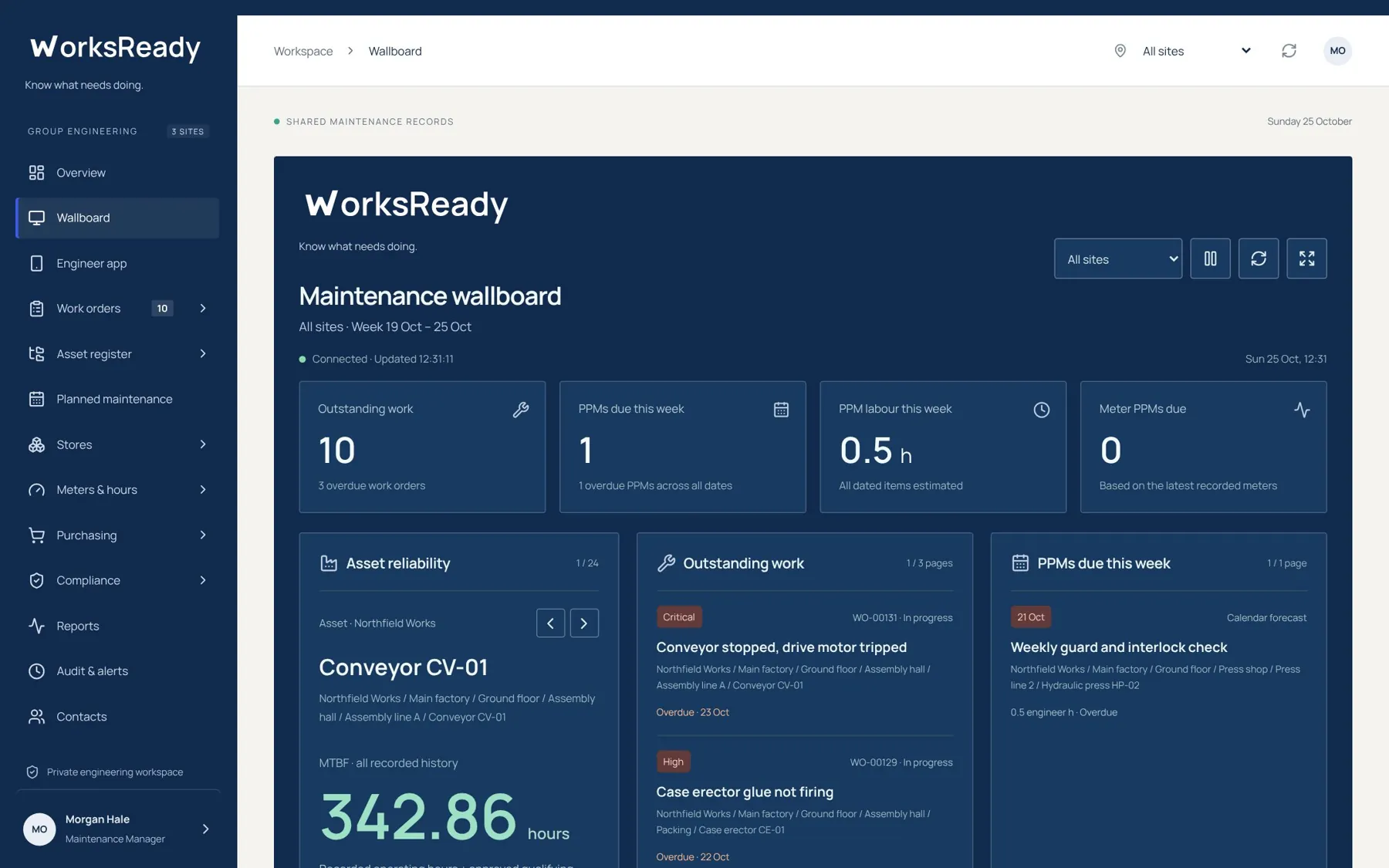
45 reports grouped by subject, from asset lists to downtime, MTBF and a monthly management pack, plus a rotating wallboard for the workshop.
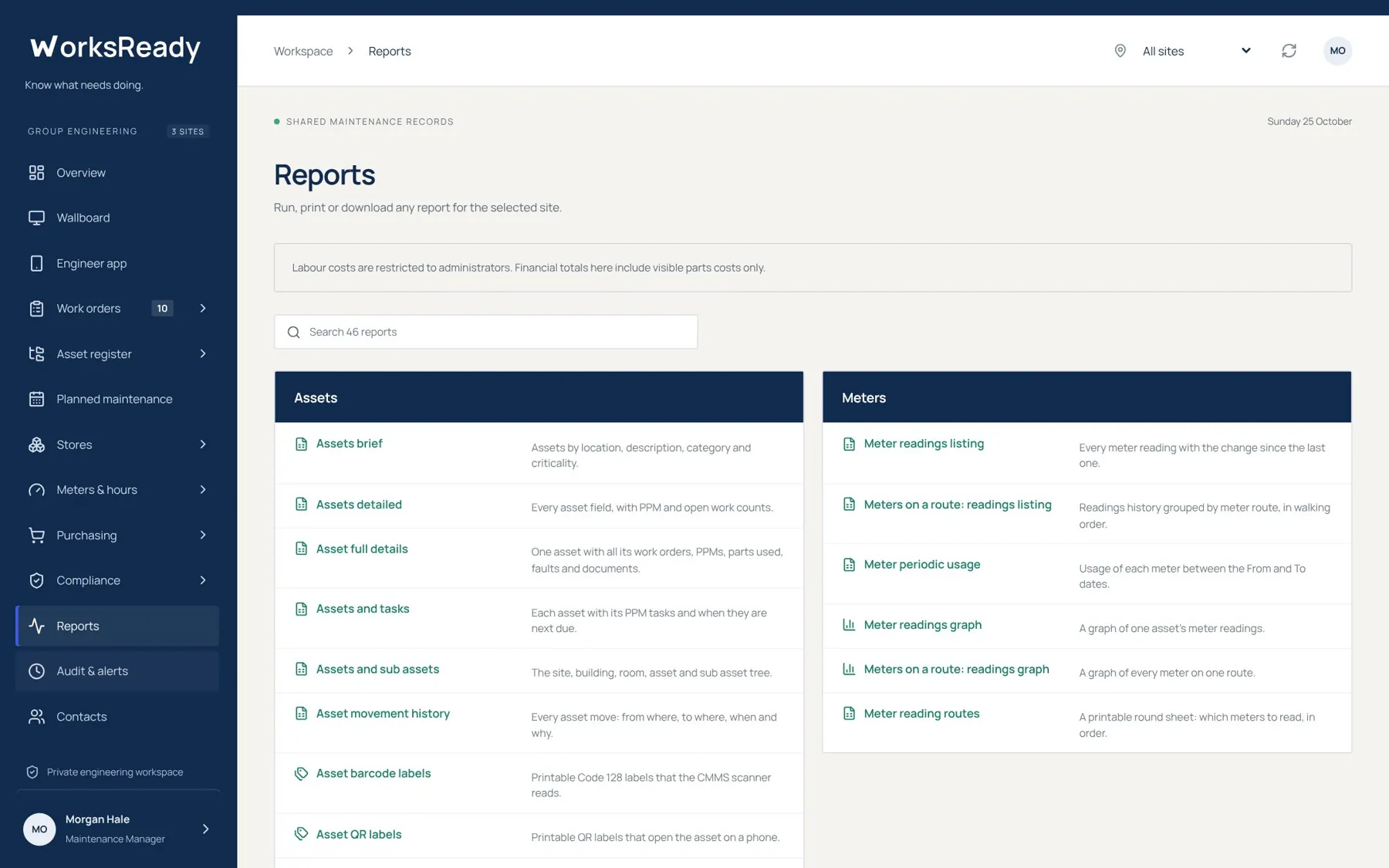
Report library screen from the WorksReady demo workspace
Report librarySearch the library, then view, print or download. Reports can also be emailed on a schedule.
Workshop wallboard screen from the WorksReady demo workspace
Workshop wallboardOutstanding work, PPMs due this week and asset reliability on a screen the whole team can see.
Try it yourself

Get logins to the demo workspace.

We'll walk you through it, then give your engineers logins so they can try it on their own phones.